

When comparing Tip-Top vs HURMA, you’re looking at two platforms used by HR teams for hiring. Both have ATS functionality. Both are popular in the Ukrainian market. But the way they approach hiring is fundamentally different — and that difference matters when you’re deciding where to put your budget.
This Tip-Top vs HURMA comparison breaks down what each tool actually does, where they differ, and which one makes more sense for your situation.
🔍 What each tool is built for
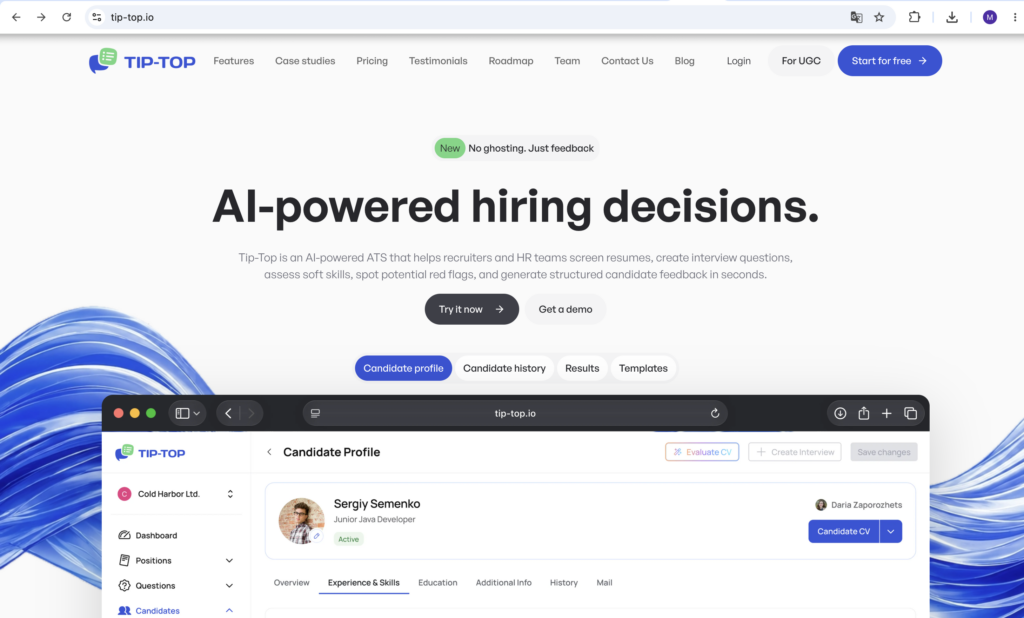
Tip-Top is an AI-powered ATS built around the interview process. It helps recruiters and HR teams screen resumes, generate structured interview questions, assess soft skills, detect potential red flags, and deliver candidate feedback in seconds. The full workflow — from opening a position to sending feedback to a rejected candidate — happens in one place.
HURMA is a broader HR platform with a recruiting module. Its ATS covers candidate sourcing, pipeline management, job board integrations, email communication, and basic analytics. Beyond recruiting, HURMA also handles the full employee lifecycle: absences, org structure, OKRs, surveys, performance reviews, onboarding, and knowledge base.
In the Tip-Top vs HURMA comparison, the core difference is clear: Tip-Top is built specifically for hiring better, HURMA is built to manage everything HR-related with recruiting as one piece of that.
⚡ Tip-Top vs HURMA: Features comparison
🎯 Candidate sourcing
HURMA has a clear edge here. The AI Fox plugin lets recruiters add candidates from job boards and social networks in a few clicks. It integrates directly with Work.ua, Robota.ua, and other portals — vacancies publish automatically and responses come back into the system. Resume parsing fills candidate profiles automatically.
Tip-Top also has CV parsing and a LinkedIn extension for importing candidate profiles. But it doesn’t have native job board integrations for posting vacancies.
Winner: HURMA for sourcing volume and job board integrations.
📋 Interview preparation
In the Tip-Top vs HURMA comparison, this is where the biggest difference shows. Tip-Top generates structured interview questions automatically based on role, seniority level, and tech stack. You get a ready-made question set before every call — from AI or from a library of templates. No manual prep.
HURMA manages candidates through a pipeline but doesn’t assist with the interview itself. There are no AI-generated questions, no question templates, no interview structure built into the platform.
Winner: Tip-Top. If how you run interviews matters — not just how you track candidates — Tip-Top handles it directly.
🤖 AI-powered feedback
After every interview in Tip-Top, the platform generates structured candidate feedback automatically in seconds. The recruiter reviews it and sends it. This alone removes one of the biggest time drains in hiring: writing feedback manually after back-to-back calls.
HURMA has email automation for moving candidates between stages, but no AI-generated interview feedback.
Winner: Tip-Top. In the Tip-Top vs HURMA comparison, this is a clear win for Tip-Top.
🚩 Soft skills and red flags
Tip-Top identifies communication patterns, behavioral cues, and inconsistencies between what a candidate says during the interview and what’s in their CV. Potential red flags get flagged automatically.
HURMA doesn’t offer soft skills detection or red flag analysis during interviews.
Winner: Tip-Top.
📊 Pipeline and candidate management
Both platforms have Kanban-style pipeline views and centralized candidate databases. HURMA lets you filter candidates by competencies, desired salary, or responsible recruiter. Tags, mass actions, and flexible filters make it easy to manage large volumes.
Tip-Top has a Candidate Hub for assigning interviews, tracking evaluation progress, and viewing full candidate history. The Autosuggestion feature automatically surfaces candidates from your database when a new position opens — filtered by skills, experience, and role requirements.
Winner: Tie. HURMA handles volume better. Tip-Top handles evaluation depth better.
✉️ Communication
HURMA has a full email marketing module built in. Recruiters can send emails directly from the system, set up automated follow-ups when candidates move stages, and track all communication history per candidate.
Tip-Top has a Mail tab in candidate profiles and sends feedback to candidates, but doesn’t have a full email sequencing or campaign tool.
Winner: HURMA for communication automation.
📈 Hiring analytics
Tip-Top’s Reports section covers Vacancy Funnel, User Activity, Recruiter Statistics, Position Analysis, Sourcing ROI, Recruitment Funnel, Pipeline Velocity, Drop-off Analysis, and Offer Acceptance Rate. From the dashboard you can see average time to hire, interviews per hire, and candidate NPS.
HURMA offers 10+ reports covering speed of closing vacancies, recruiter productivity, reasons for rejection, and average salary benchmarks by role across Ukraine.
Winner: Tie. Both have solid analytics. Tip-Top goes deeper on interview-specific metrics; HURMA covers broader sourcing and market data.
👥 Employee management (post-hire)
HURMA manages the full employee lifecycle after hiring: absences, org charts, 1-on-1s, surveys, OKRs, performance reviews, document management, onboarding and offboarding.
Tip-Top focuses entirely on hiring. Once a candidate is hired, that’s the end of what Tip-Top tracks.
Winner: HURMA for everything post-hire.
💰 Tip-Top vs HURMA: Pricing
When comparing Tip-Top vs HURMA pricing, the difference is significant — especially for teams with more than one recruiter.
Tip-Top prices per company — not per user or per recruiter:
- Basic — $8.50/mo per company (3 users, 100 candidates, 20 positions)
- Pro — $15/mo per company (10 users, 1,000 candidates, 100 positions, full AI features)
- Business — $28/mo per company (100 users, unlimited candidates and positions)
- Enterprise — Individual pricing, unlimited everything
7-day free trial on Pro. No credit card required.
HURMA prices per recruiter:
- ATS — $36/mo per recruiter
- ATS PRO — $48/mo per recruiter
For a team of 3 recruiters: HURMA ATS costs $108/mo. Tip-Top Pro costs $15/mo for the same team.
Winner: Tip-Top on price — significantly, especially for small and mid-sized teams.
🎯 Tip-Top vs HURMA: Who each tool is for
Tip-Top makes sense if:
- Your team runs structured interviews and wants AI-generated questions ready before each call
- You want automatic candidate feedback generated in seconds after interviews
- You need soft skills detection and red flag analysis during the hiring process
- You want detailed hiring analytics without paying enterprise prices
- Price matters — $15/mo for a full team vs $108/mo for the same team on HURMA
HURMA makes sense if:
- You need a full HRM system covering the entire employee lifecycle, not just hiring
- Sourcing volume is a priority — you post to multiple job boards and handle high candidate inflow
- You need email automation for candidate communication at scale
- You already have a solid interview process and need tools for what comes before and after
✅ Tip-Top vs HURMA: The bottom line
When comparing Tip-Top vs HURMA, both platforms have ATS functionality — but the difference is in what they prioritize.
HURMA covers the entire talent lifecycle — from sourcing to offboarding. If you need one platform to manage everything, it makes sense. But the interview process itself — how you prepare, how you evaluate, how you give feedback — gets limited attention inside HURMA.
Tip-Top focuses on exactly that part. The interview. The evaluation. The feedback. With AI doing the heavy lifting on question generation and post-interview analysis, recruiters spend less time on prep and admin and more time actually talking to candidates.
For teams who want to hire faster and with more consistency — and don’t need a full HRM suite — Tip-Top is the more focused and significantly more affordable recruitment software.
Try Tip-Top free for 7 days → tip-top.io



 ChatGPT
 Perplexity
 Claude
 Calendly