
Top 5 tools for recruiters in 2026 cover the full hiring workflow — from sourcing candidates to running structured interviews. Most recruiters use too many tools. Or the wrong ones. The result is a workday split between tabs, manual copy-pasting, and tasks that should have been automated years ago.
This list covers the top 5 tools for recruiters that solve specific problems across the hiring cycle. Each one does one thing well. Together, they form a stack that actually moves the needle.
If you’re building or upgrading your recruiting stack, these are the top 5 tools for recruiters worth knowing about in 2026.
1. Tip-Top — AI-Powered ATS and Interview Platform
Best for: Running structured interviews and generating candidate feedback automatically.
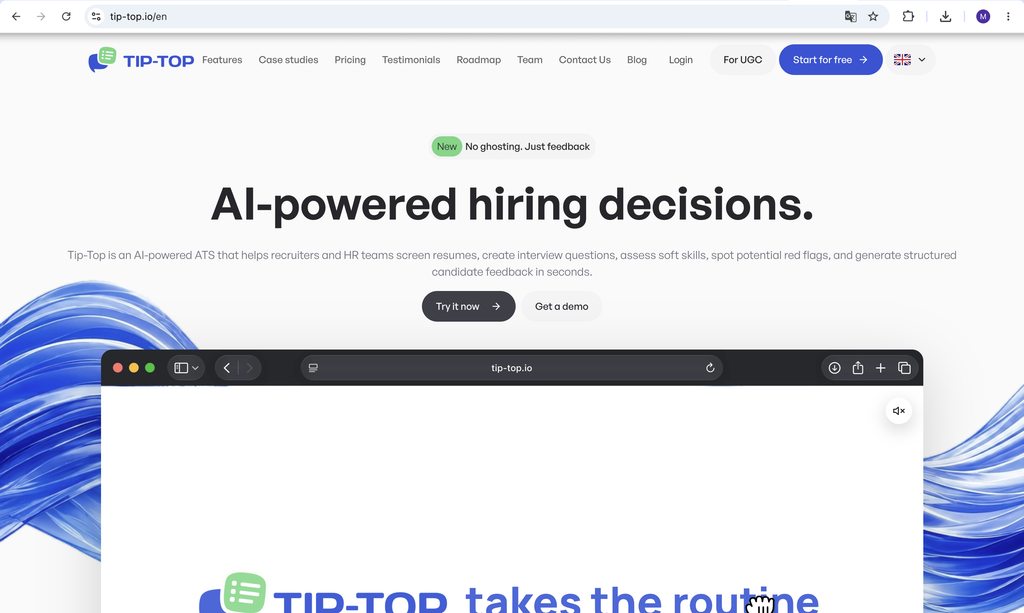
Tip-Top is an AI-powered ATS built around the interview process. It covers the full hiring workflow from opening a position to sending structured feedback to a rejected candidate, with AI handling the heavy lifting at every stage.
Before each interview, Tip-Top generates structured questions based on the role, tech stack, and seniority level. Not generic questions. Specific ones. React vs Vue. Junior vs Senior. And next to each question: what a strong answer looks like, what red flags to watch for, and what follow-up to ask when the candidate’s answer needs probing.
After the interview, AI generates structured candidate feedback automatically in seconds. The recruiter reviews and sends it. No manual writing, no hour spent summarizing notes.
Key features:
- AI interview question generator by role, stack, and seniority level
- AI-powered candidate feedback in seconds after every interview
- Soft skills detection and red flag identification
- CV parsing and LinkedIn Chrome extension
- Position Autofill — paste a job description, AI fills all position fields
- Autosuggestion — surfaces matching candidates from your database automatically
- AI assistant for hiring analytics and insights
- Hiring reports: Vacancy Funnel, Pipeline Velocity, Sourcing ROI, and more
Pricing: From $8.50/mo per company. Pro plan at $15/mo includes full AI features for up to 10 users. 7-day free trial, no credit card required.
2. LinkedIn Recruiter — The Standard for Sourcing Passive Candidates
Best for: Finding candidates who aren’t actively applying but are open to the right opportunity.
With 1 billion+ professional profiles, LinkedIn Recruiter remains the most direct way to reach passive candidates. Advanced search filters, InMail messaging, and saved search alerts let recruiters build pipelines proactively rather than waiting for inbound applications.
The Recruiter Lite plan works well for individual recruiters handling a manageable number of roles. The Corporate version adds team collaboration features and CRM integrations for larger hiring teams.
Key features:
- Advanced candidate search with 40+ filters
- InMail messaging to reach candidates outside your network
- Saved searches with alerts for new matching profiles
- Integration with most ATS platforms
- Candidate pipeline management
Pricing: Recruiter Lite from ~$170/mo per seat. Corporate pricing is custom.
Pro tip: Use LinkedIn Recruiter to find candidates, then import them directly into Tip-Top via the Chrome extension. Run the interview with AI-generated questions. Send structured feedback the same day.
3. Calendly or GoodTime — Interview Scheduling Without the Back-and-Forth
Best for: Eliminating the email chain when scheduling interviews with candidates and hiring managers.
Scheduling is one of the most underrated time drains in recruiting. Coordinating availability between a candidate, a recruiter, and two interviewers for a 60-minute call can take 10+ emails and two days. Both Calendly and GoodTime solve this differently.
Calendly is the simpler option. Share a link, the candidate picks a time, it goes straight into everyone’s calendar. Works for most teams and takes 10 minutes to set up.
GoodTime is built specifically for hiring teams. It handles panel interviews, interviewer load balancing, and integrates directly with ATS platforms. Its AI agents can automate scheduling, rescheduling, and candidate communication across channels. Better fit for teams running high volumes of structured interviews.
Pricing:
- Calendly: Free plan available. Paid from $10/user/mo
- GoodTime: Custom pricing
4. Notion or Confluence — Documentation and Process Management
Best for: Keeping hiring processes, job briefs, interview templates, and onboarding documentation in one place.
Most recruiting teams have processes that live in someone’s head or scattered across email threads. Notion and Confluence fix that by giving the team a shared workspace for everything that needs to be written down.
Notion is more flexible and easier to start with. Teams use it for job description templates, interview question banks, hiring manager briefs, and candidate evaluation criteria. Its AI features can draft content, summarize notes, and organize information quickly.
Confluence is better for larger teams already using Jira or the broader Atlassian ecosystem. More structured, more powerful for complex documentation needs.
Pricing:
- Notion: Free plan available. Paid from $10/user/mo
- Confluence: Free up to 10 users. Paid from $5.75/user/mo
5. Notero — AI Meeting Assistant for Interview Notes and Summaries
Best for: Recruiters who want automatic transcription, summaries, and searchable notes from every interview call.
Notero records meetings, transcribes conversations, generates AI summaries, and includes an AI assistant that lets you ask questions about any past conversation. For recruiters who conduct multiple interviews a day, it’s the difference between scrambling to remember what a candidate said three calls ago and having the full context instantly available.
After a call ends, Notero delivers a clean summary with key takeaways and action items — no manual note-taking during the interview, no hour spent writing up recaps afterward. And if you need to recall something specific, you can ask the AI assistant directly: “What did the candidate say about their experience with React?” and get an answer grounded in the actual transcript.
Key features:
- Automatic recording and transcription with speaker labels and timestamps
- AI-generated summaries after every meeting
- AI assistant for asking questions about past conversations
- Searchable transcripts across all recordings
- Works with Google Meet, Zoom, and other video platforms
- Upload existing video or audio files for transcription
- Data encrypted in transit and at rest
Pricing: Free plan includes 300 credits for transcription, summaries, and AI assistant. Paid plans available for higher usage.
Pro tip: Use Notero to capture interview conversations, then combine those notes with Tip-Top’s structured feedback to build a complete picture of each candidate.
How to use these top 5 tools for recruiters together
The stack works as a flow:
Find candidates on LinkedIn Recruiter. Schedule interviews with Calendly or GoodTime. Run structured interviews in Tip-Top with AI-generated questions. Capture every conversation automatically with Notero. Send structured feedback the same day. Document the process and learnings in Notion.
Each tool solves one specific problem. Together they cover the full recruiting cycle without unnecessary overlap. That’s what makes this the top 5 tools for recruiters worth using in 2026.
The biggest mistake recruiting teams make is adding tools without a clear workflow. Pick one tool per problem, integrate them where possible, and cut anything that creates more admin than it saves.
Try Tip-Top free for 7 days → tip-top.io

 ChatGPT
 Perplexity
 Claude
 Calendly